Lotus - Women’s Health App
Overview
Lotus is a menstrual health web application designed to help users understand how their menstrual cycle impacts symptoms, diet, and overall well-being. While most period tracking apps focus on prediction and logging, Lotus translates user data into personalized, actionable recommendations based on habits and cycle.
This project was completed over a 10-week academic quarter. I worked as a UX researcher and front-end engineer, helping define user needs, inform design decisions, and build the interactive interface using React, HTML, CSS, and JavaScript.
This project reflects my approach to UX research: using behavioral insight, technical understanding, and research-informed decision-making to shape meaningful product experiences.
My role: UX Researcher, Product Designer, Front-End Engineer, Project Manager
Timeline: 10 weeks
Team: 3 students
Stakeholders: Product team, instructors, and target users
Interactive Prototype: https://info-340-lotus.web.app/
Problem & Opportunity
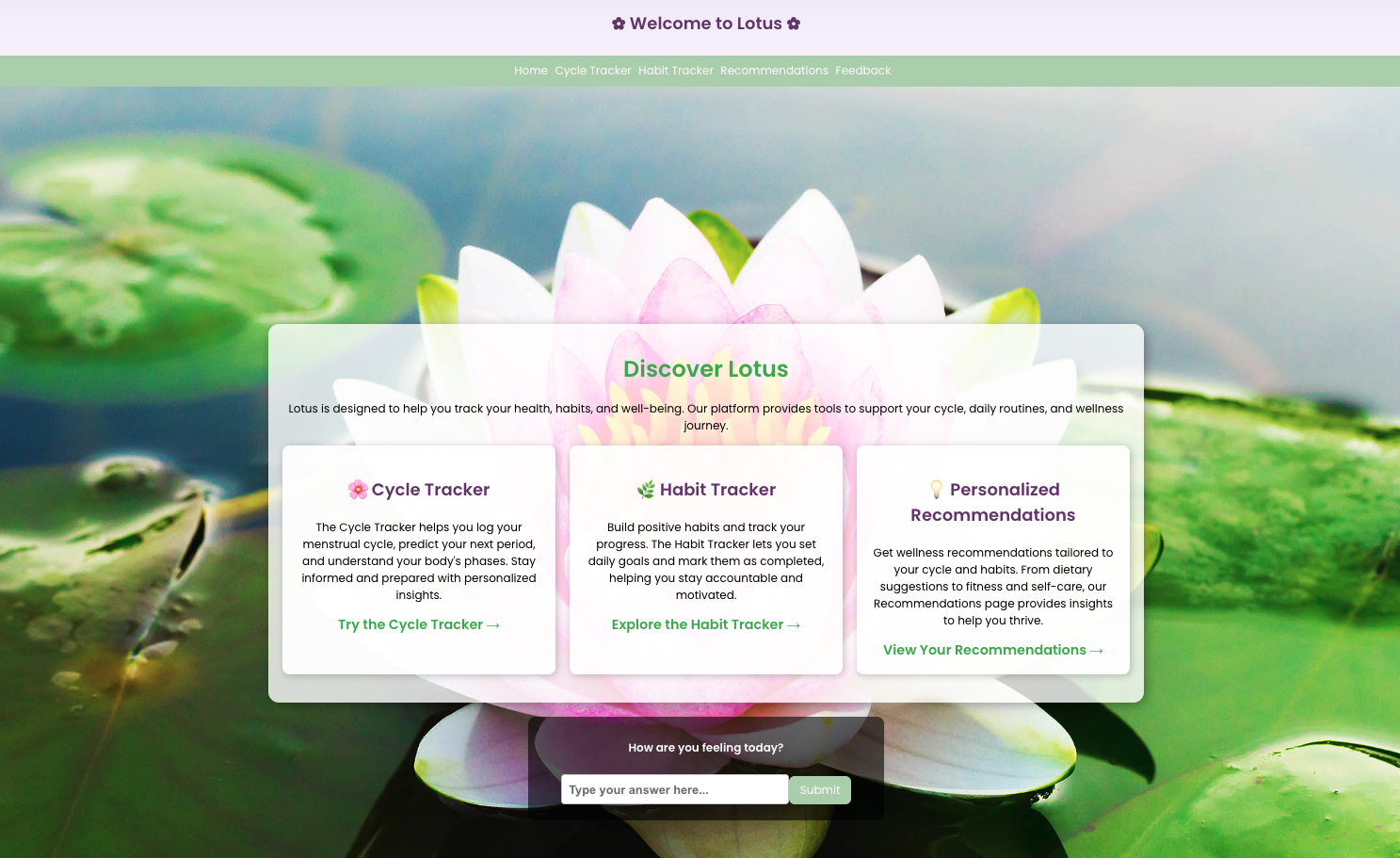
Through user research, our team discovered that existing platforms lacked:
Personalized recommendations based on symptoms and behavioral patterns
Integration between menstrual cycles and nutrition or lifestyle adjustments
Clear, actionable insight derived from tracked data
Interfaces aligned with how users mentally model their health experiences
Through competitive analysis and exploratory research, we identified a key gap in existing menstrual tracking tools: they primarily focus on passive tracking rather than helping users understand and act on their data.
Research Approach & Rationale
Because this was a development-focused course with a fixed 10-week timeline, our team prioritized efficient research methods that could directly inform product decisions while balancing time constraints and our technical-focused curriculum and deliverables.
The research approach included:
Competitive Analysis
Analyzing menstrual tracking apps such as Flo to identify usability patterns, strengths, and gaps. This helped establish baseline expectations and uncover opportunities for differentiation.
User Needs and Behavioral Analysis
Leveraging domain knowledge from health behavior research, speech and hearing sciences, and psychology to understand how users interpret bodily signals, symptoms, and health feedback.
Peer Feedback and Iterative Evaluation
Gathering usability feedback from peers throughout development to identify friction points and refine interaction structure.
The team intentionally focused on foundational research methods that would have the greatest impact on design direction within project constraints. This reflects real-world UX environments, where researchers must balance engineering and product timelines.
Key Insights & Impact
Insight: Most apps present information without helping users interpret it.
Design impact: We prioritized personalized recommendations as a core feature rather than passive tracking.
Insight: Users conceptualize their experience around symptoms like fatigue, cramps, and appetite.
Design impact: We designed the interaction flow around symptom logging and recommendations rather than abstract cycle phases.
Insight: Overly complex interfaces reduce usability and increase friction.
Design impact: We simplified the interface and structured information hierarchy to improve clarity and usability.
Insight: Users are cautious about sharing sensitive health information.
Design impact: We minimized unnecessary data collection and designed transparent interaction flows.
Components & Implementation
Components
Cycle Tracker
The cycle tracker was designed to help users log menstrual cycle phases in a clear, low-friction interface. Research emphasized the importance of reducing cognitive load in health tracking tools, so the component prioritizes simple inputs.
Habit Tracker
This component reflects research insights that users want to understand how lifestyle habits influence symptoms, not just track cycles in isolation. The design focuses on consistency, quick logging, and meaningful pattern recognition.
Recommendations
The recommendations component translates tracked cycle and habit data into actionable guidance tailored to the user’s current phase and symptoms. Research highlighted that users often want support interpreting their health data, not just logging it.
Feedback Form
The feedback form allows users to share their experiences with symptoms, recommendations, and app usability. This component supports iterative improvement by integrating user feedback into the product experience and reinforces the research-driven goal of continuously aligning the app with real user needs.
Technical Implementation
We developed an interactive front-end using:
React
JavaScript
HTML
CSS
My involvement in front-end development strengthened my ability to design with technical feasibility in mind and ensured research insights directly influenced implemented components.
Outcome & Reflection
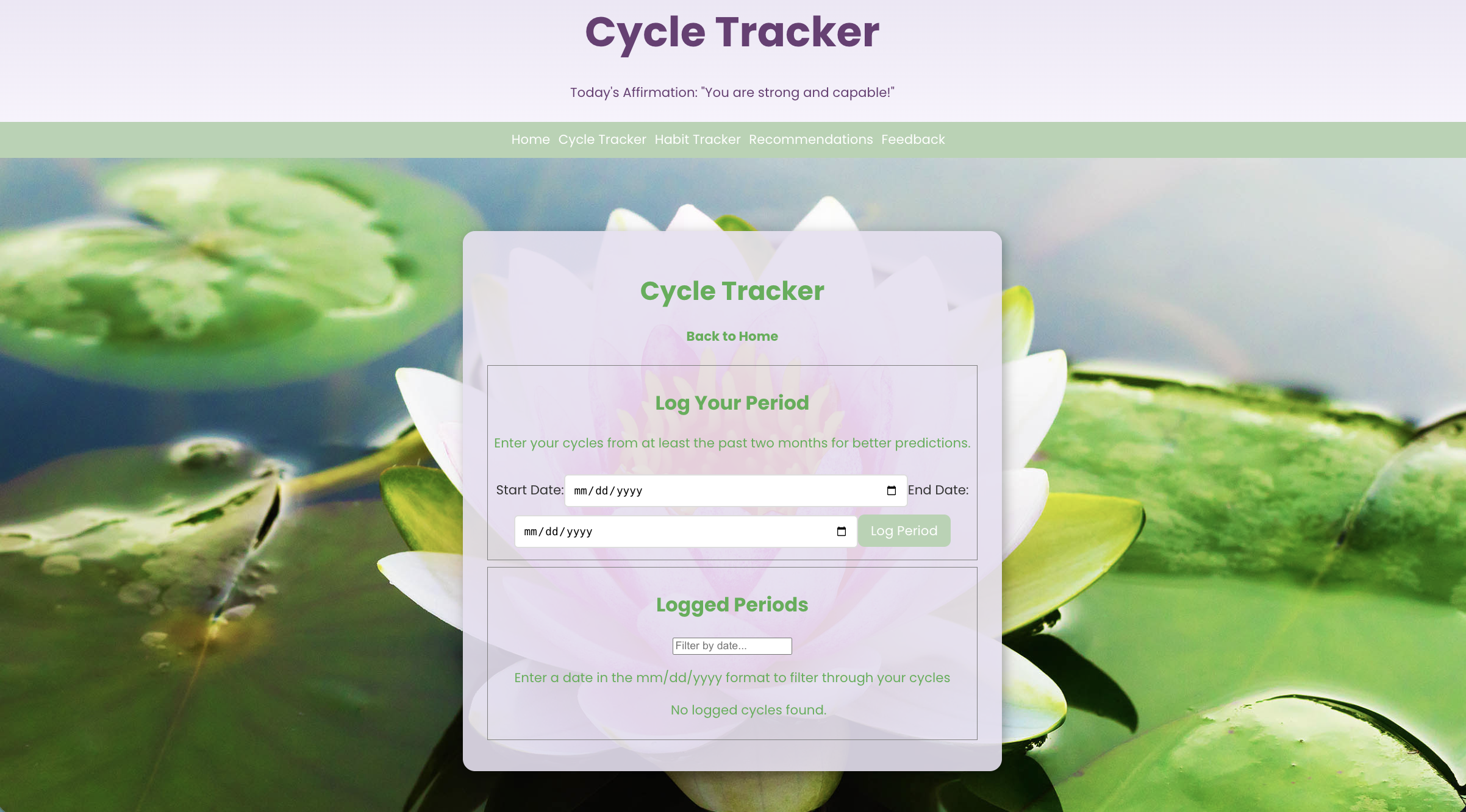
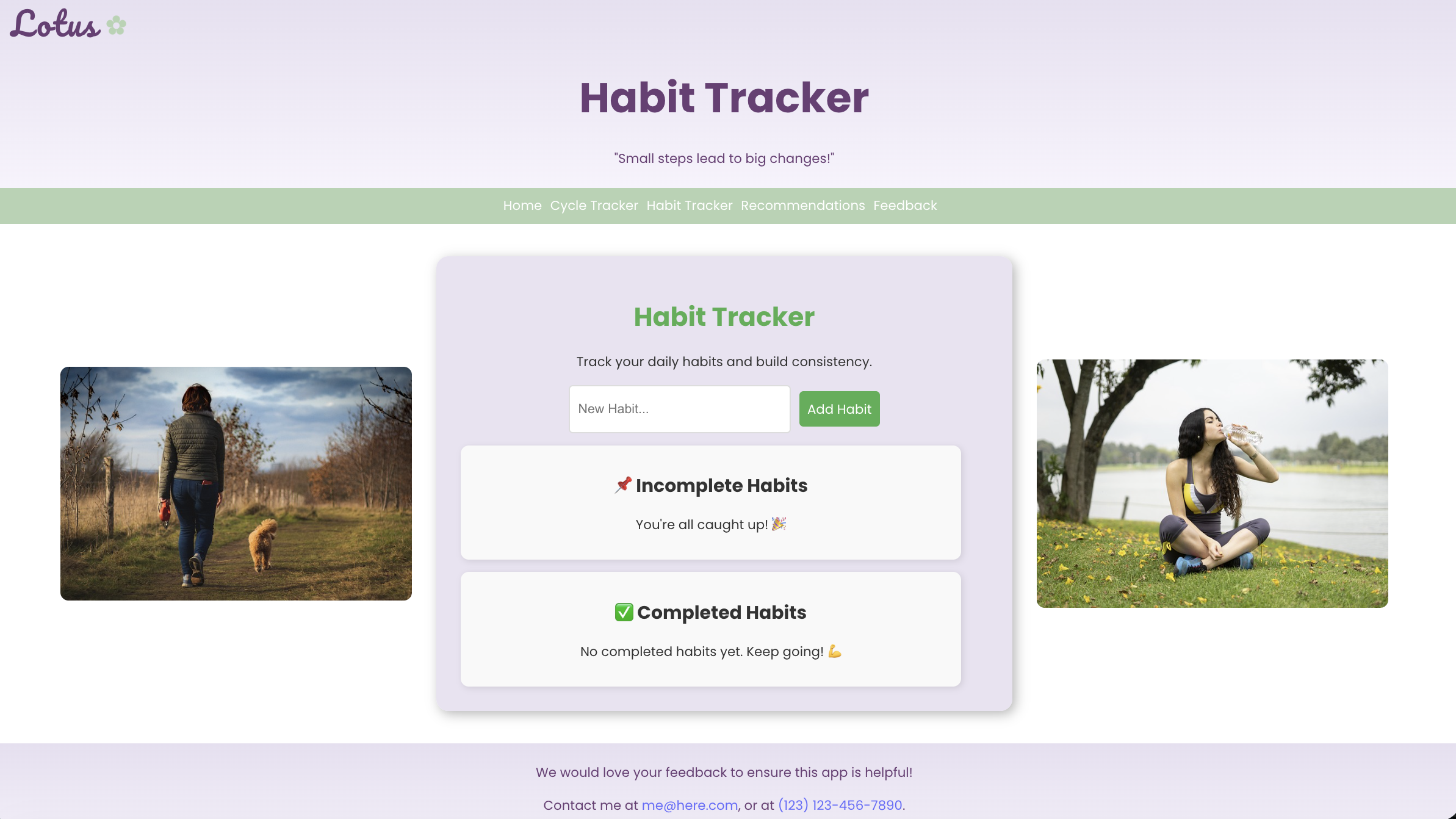
The final product was a functional interactive prototype demonstrating cycle tracking, symptom logging, feedback, and personalized recommendation features.
This project strengthened my ability to:
Conduct effective UX research within real-world constraints
Translate behavioral insights into actionable design decisions
Balance user needs, technical feasibility, and project scope
Collaborate across research, design, and development
By grounding product decisions in behavioral insight and accessibility considerations, Lotus illustrates how UX research can help create more supportive, personalized digital health experiences that empower users to better understand and manage their well-being.
Future iterations of Lotus would focus on improving cohesion between components and creating a more fluid, responsive experience across the cycle tracker, habit tracker, and recommendations system. Due to engineering and timeline constraints in a quarter-long project, the prototype prioritized core functionality over deeper integration. With more development time, stronger connections between tracked data and recommendations, along with refined interaction flow and visual hierarchy, would create a more seamless user experience.